Needless to say, DocPreview 2 is now deprecated and nonfunctional, given Safari 10’s changes to how extensions work. Back to the drawing board.
Four years later, Safari on OS X still does not have native .doc preview capability.
But I have made a breakthrough! I have managed to make DocPreview 2, a Safari extension + NPAPI-based plugin that allows in-browser previews of Microsoft .doc and .docx files, for Safari 8.0.6.
I will be writing another blog post of this as soon as I clean it up enough for release, as DocPreview 2. For all the good it’ll do until NPAPI support is removed.
7/21/2011 – DocPreview DOES NOT work with Safari 5.1 on OS X 10.6+. This is because the WebKit Plugin APIs it depended on are deprecated by Apple. This has broken a number of .webplugin extensions, including some of my favorites like the current (as of today) version of XML View. If you have upgraded to Safari 5.1, on OS X 10.6 or 10.7, then please uninstall DocPreview 0.1 (by removing it from the /Library/Internet Plugins or ~/Library/Internet Plugins directories, depending on where you initially installed it). For those still on Safari 5.0 and below, this will still work.
Only NPAPI plugins are apparently allowed from 5.1 forward. This API does not give native access to the browser window as before; therefore the old methods of converting .doc files to HTML no longer works. Because I still need Word preview capability for myself, I have a few ideas on how to make DocPreview work for 5.1+. However, this requires a complete re-write of the entire code. Apple obviously already has .doc preview capability on iOS but hasn’t shared that with us on OS X. I’m not sure it’ll be worth it to make these modifications, only for Apple to release .doc preview as a native capability to Safari a few months later.
12/1/2010 – As promised, DocPreview is now open sourced at Google Code.
01/24/2010 – DocPreview updated for 64-bit Safari and 10.6. Still seems to work.
early 2009 – Schubert|IT’s Word Browser Plugin has been made a Universal binary. Therefore, DocPreview is no longer needed, as I originally wrote this plugin to fill in the gap when Word Browser Plugin was PPC-only. Word Browser Plugin offers a more advanced user interface than DocPreview. You should try it out first. I will continue to tweak DocPreview, more as a challenge to myself. I will probably open source the package — at soon as I fix a hack or two and no longer feel ashamed of my code.
—
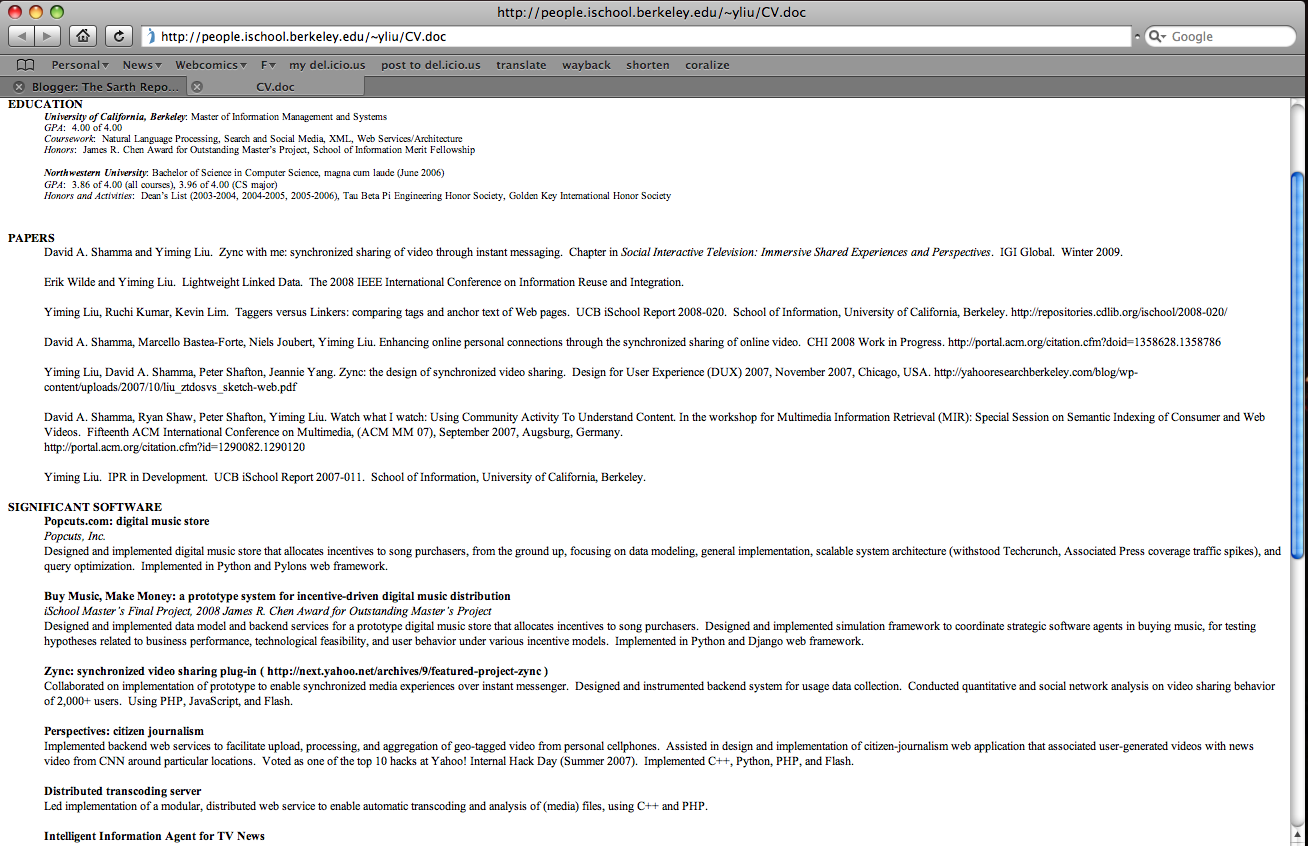
DocPreview is a lightweight WebKit browser plugin I wrote to display a text-only preview of Microsoft Word .doc documents, inline and within Safari 3.x (and, apparently, 4.x) on both Intel and PowerPC Macs. This behavior is much like the functionality provided by the PPC-only Word Browser Plugin from Schubert|IT. DocPreview, of course, is a universal binary plug-in — since Word Browser’s lack of Intel support is/was really why I wrote this plug-in.
DocPreview only supports WebKit-based browsers that can use .webplugin files. Therefore, this includes Safari, Shiira, etc., but not Chrome (as of the time of this update). I am currently unable to support other browsers, since DocPreview is built against the WebKit API instead of the Netscape plug-in API. Frankly, the Netscape API is a mess, and I haven’t had the time to figure it out. A NSAPI guru who could point me in the right direction would be much appreciated.
Download
DocPreview.zip (Safari 5.0 and below on 10.5, 10.6) – v0.1
DocPreview.zip (10.4) – v0.1
This is a work-in-progress. It passes the “dogfooding” test; as in, I’m using this plug-in daily (eating my own dogfood, as they say). While I believe it functions correctly — at least on my machines, I make no guarantees as to stability and usefulness, and am not liable for blowing up your browser or any harm that might befall you through your adventurous use of this plug-in. I do want this thing to work for everyone, so please leave me a note here if it doesn’t work.

DocPreview features & limitations:
- Universal binary support, for use on both PPC and Intel Macs. No Windows Safari support — and plus, there are already good solutions for inline doc browsing on the Windows side. If you’re on PPC, I suggest you use Word Browser Plugin instead unless you desperately need find-on-page using Safari’s built-in facilities with Word docs.
- Tested extensively on Safari 4.x, 3.x, and somewhat with Shiira 2.x. May also work on earlier Safari versions, but I simply do not have the ability to test the plugin against them. Does not work on Chrome, but I’m sure there are better solutions using Chrome extensions.
- Uses OS X’s internal engine for opening and processing Word files. DocPreview performs as well (or as badly, depending on your opinion) as OS X itself for the same task.
- Supported on OS X 10.5 for .doc, .docx, and .odt files. On OS X 10.5, the plugin can parse Microsoft’s new OpenXML (.docx) and OO.org‘s ODF Text (.odt) documents. On 10.4, the plugin will still work, but only for .doc files.
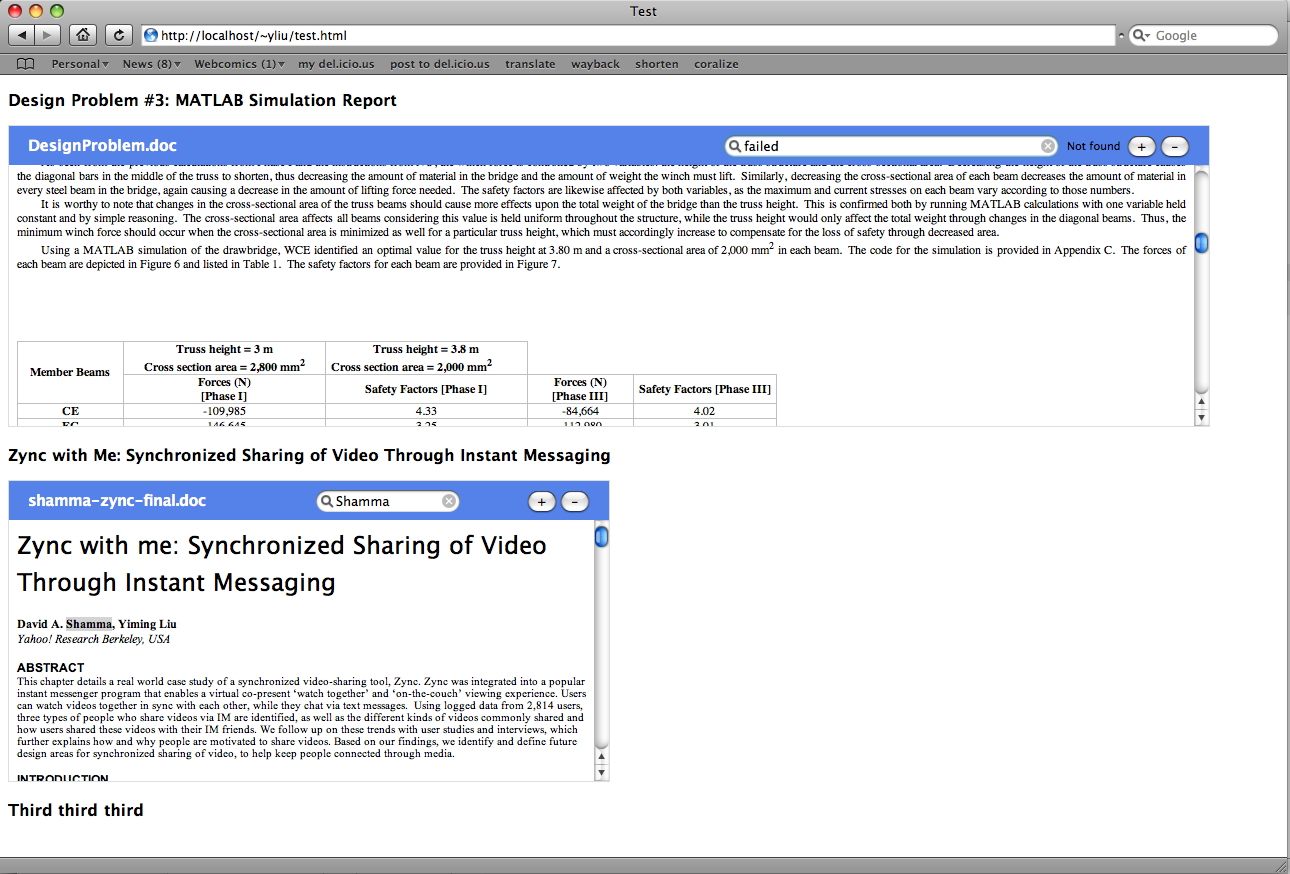
- Support for full document view mode or embedded mode (if the page author uses object and embed tags, like with Flash objects — although, who actually does that with .doc files? )
- In full document view mode, DocPreview uses Safari’s built-in Find and Text Zoom abilities. Any command that can be run on a normal Safari webpage can be performed on a DocPreview rendering.
- In embedded mode, Find on Page and Text Zoom support are implemented separately. I’m still thinking about how I can hook into Safari’s built-in system from within an embedded plugin. Since no one ever uses embedded .doc files anyway, the point is fairly moot for most users.
To install, drag DocPreview.webplugin into
/Users/<your name>/Library/Internet Plug-ins
or
/Library/Internet Plug-ins.
Screenshots of the plug-in in operation can be seen to the right of this post. The first pair of images are .doc files in full document mode in the browser and in Word 2008. The second pair of images are two documents embedded inline using object tags, and one of them shown in Word 2008. As you can see, the conversion fidelity is fairly decent — this is the same level of fidelity that you would have gotten by importing Word data into TextEdit, or using textutil on the command-line.
DocPreview serves the same purpose as Word Browser. It’s intended as a quick preview (much like how Google indexes the text in .doc files), so you don’t blindly download any Word files that actually don’t interest you.
( As an aside, I cannot understand people who want to disable built-in PDF support in Safari :p . That feature has singlehandedly improved my productivity/research output by a magnitude. )

I expect Apple to support .doc previews with the next version(s) of Safari, very soon (ok, so not in 4.x, but surely in 5.x. Anyone on the Apple Safari team reading this: come on, this feature is trivial — even I can do it ). MobileSafari on the iPhone already provides .doc viewing support (and .xls, if I remember correctly). On Windows, MS provides read support for .doc files within the browser. DocPreview is a temporary solution for Safari users until official Apple support (or better yet, better Microsoft Office integration) arrives.
If the thing doesn’t work for you, let me know via the comment thread. If it does work, let me know too. Any suggestions and comments welcome.
