In short, Firefox 147 or later finally enables the ability to customize its un-Mac-like keyboard shortcuts, using the about:keyboard experimental feature.
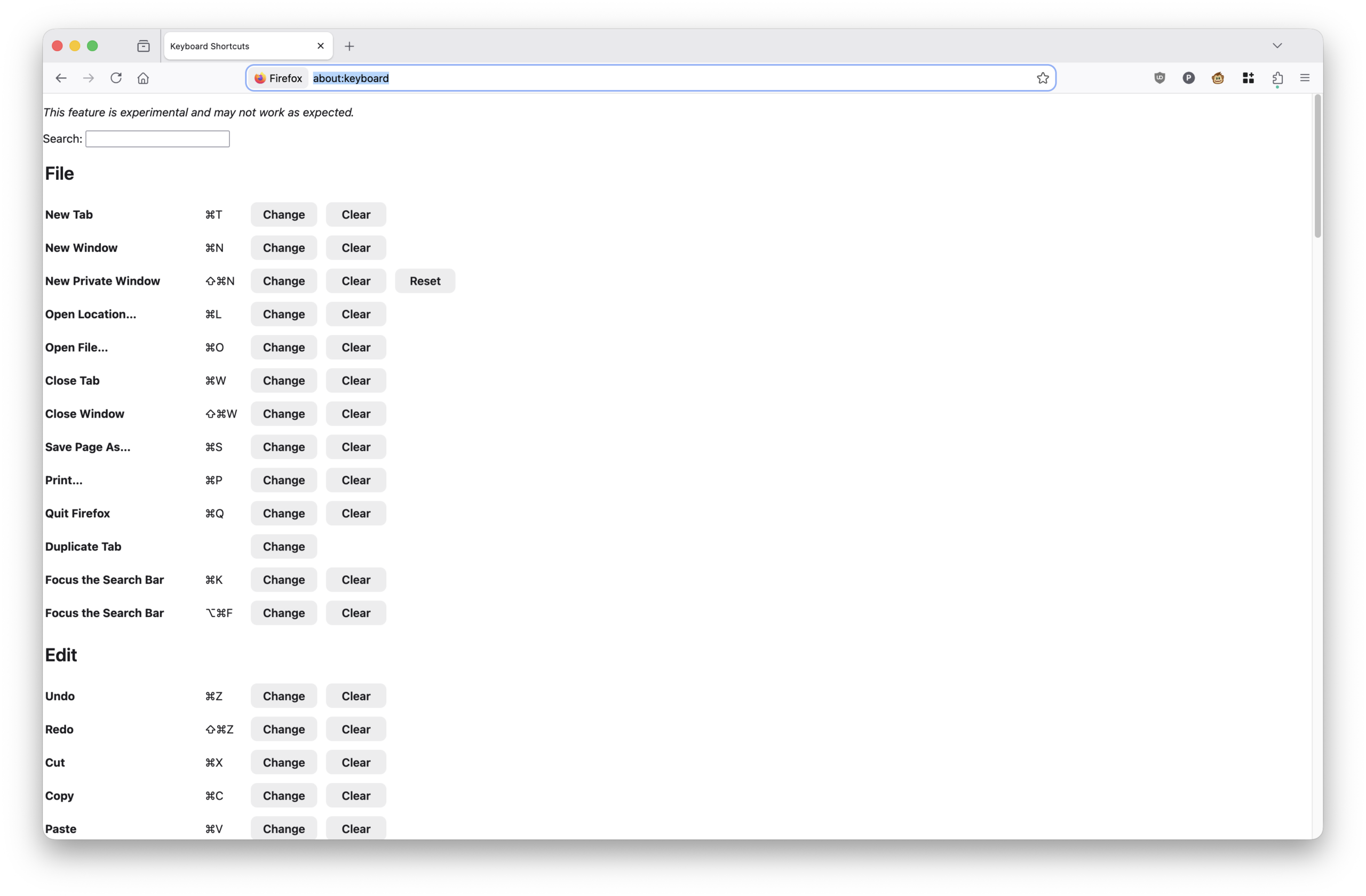
For literally years (when Firefox version numbers were still in the double-digits), I have been compiling my own version of Firefox specifically to patch browser/base/content/browser-sets.inc. This lets me set some custom keyboard shortcuts, to align shortcuts in Firefox with Safari and Chrome. Namely:
- Cmd-Shift-H -> home page
- Cmd-Shift-N -> new private window
The official macOS way to set these shortcuts is via the Keyboard settings / prefpanel. However, the dirty little secret (or not so secret, really) is that Firefox is not truly a native macOS app. It has its own cross-platform UI toolkit instead of making use of macOS native GUI toolkits, which carries over odd behaviors … one of which being that you cannot fully override its pre-defined keyboard shortcuts.
Firefox 55 addressed this partially, which allowed new keyboard shortcuts to be created via System Preferences. Overriding existing shortcuts like “New Private Window” or “Paste” or whatever was not completely possible. The effort to respect macOS shortcuts was opened as Mozilla bug #1333781, which has been open 9 years with no resolution.
Before the great extension purge in Firefox 57, Firefox extensions like keyconfig let you work around the problem by remapping those shortcuts within Firefox itself. After Firefox retired all legacy extensions, this once again became impossible.
So ever since Firefox 57 (being so annoyed by some of its default, un-Mac-like shortcuts) I’ve compiled Firefox from source code just so I could patch its keyboard shortcut configurations. This was made more unpleasant over time, as Mozilla signs its official Firefox builds with its private Apple Developer key. The Mozilla key enables official builds to use special Apple entitlements not granted to ordinary developers, and private builds just won’t have those features. For example, if you want Firefox to integrate with TouchID, unofficial/private builds won’t be able to do that lacking the necessary entitlements.
But finally, finally…in Firefox 147 or later, about:keyboard is an experimental feature to let users customize existing shortcuts, including New Private Window. Instead of recompiling the entire browser, code-signing it myself, and losing access to TouchID and other niceties
It, however, still doesn’t make Firefox respect macOS keyboard shortcut settings — you still have to configure these settings in Firefox itself rather than have it read from macOS shortcuts.
But at least there is a way to do this again. And it only took almost 100 versions of Firefox later. I can finally stop rebuilding the entire browser just to change two ridiculous settings that the OS already provides a function to let users change…if only Mozilla would integrate with it.
(Honestly, a hat tip to OpenAI’s codex for uncovering the experimental feature when I asked it about the state of Firefox and changing its shortcuts. Otherwise it would been another round of browser compilation this evening.)
